
Pay with Crypto
Once payment is received and confirmed on the blockchain, your product key will be automatically generated and displayed on this page.
- 1. Awaiting Payment Send BTC to the address provided
- 2. Confirming Payment is being confirmed on the blockchain
- 3. Complete Your product key will be generated and displayed
Bitcoin Payment
IMPORTANT: Please send Bitcoin using the BTC network only. Sending other assets or using unsupported networks may result in lost funds.
Waiting for payment.
Average confirmation time: 5–30 minutes, depending on network activity.
New to crypto? Pay with Cash App
Cash App makes it easy to buy Bitcoin (BTC) and send it securely. Follow the steps below to complete your payment.
-
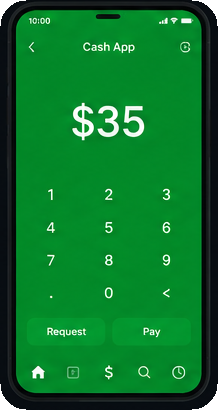
Open Cash App
Open the Cash App on your mobile device.
-
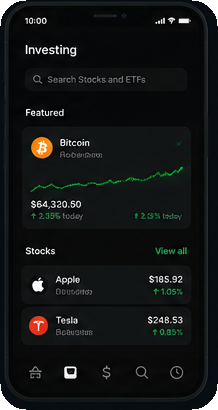
Buy Bitcoin
Tap the Investing tab and select Bitcoin.
-
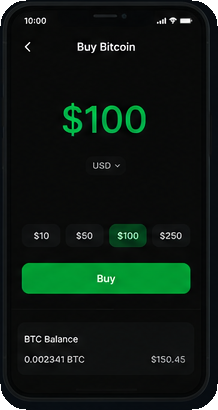
Purchase Bitcoin
Choose an amount and buy Bitcoin.
-
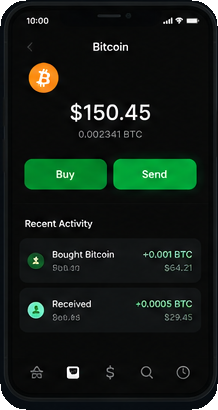
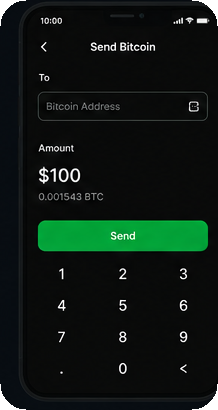
Send Bitcoin
Tap the Bitcoin tab and hit 'Send'.
-
Enter Address
Paste the BTC address below and confirm.
Once your payment is received and confirmed on the blockchain, your product key will be generated and displayed automatically.
Your payment is secure and encrypted.